Friday, September 15, 2006

The secret life of a rootkit

Website: http://www.computerworld.com/printthis/2005/0,4814,106842,00.html

DECEMBER 07, 2005 (COMPUTERWORLD) –

Much like in the movie The Matrix, where the world presented to the computer user is not a true representation of what is really going on, a rootkit is a program that can be used to hide files, registry settings, network connections, processes and other information from computer users.

For example, a rootkit can make processes that run but are hidden from Windows Task Manager, registry keys that can't be seen with Regedit, and network connections that are not viewable by Netstat.

Rootkit technology allows malicious software (malware) to be stealthier, and that in general makes it more effective. This is not about just evading detection by a casual user; rootkit technology allows malware to evade many antivirus and antispyware programs. There are few legitimate uses for this kind of technology, although some companies do market "hidden folders" that enable users to hide sensitive or embarrassing information from other users of the same computer.

All rootkits rely on the ability to manipulate the results of the function calls made by programs. For example, in order for the Task Manager program in Windows to show a list of running processes, it calls a Windows API function (EnumProcesses) that returns a list of identifiers (or process IDs), which are obtained from a data structure in the kernel.

A rootkit works by intercepting the call and filtering out the processes that it is trying to hide. They can be implemented either in user space or in the kernel, with the kernel rootkits being the most dangerous.

Files, registry entries and network connections can all be hidden in analogous ways by altering the results of the appropriate function calls. Because most antivirus and antispyware programs rely on these calls (for example, to find files to scan), files hidden by rootkits are invisible to an antivirus program. The machine could be infected, but an antivirus program would be unable to detect it.

Kernel-mode rootkits require some code to be loaded into the kernel (normally a device driver or .sys file). They can do this by following the legitimate route that low-level device drivers use (using the service control manager services .exe), or there are a few undocumented ways to insert code into the kernel. Once inside, the code can modify the results of functions calls made into the kernel or modify kernel structures.

How to spot a rootkit

There are two main ways to detect the presence of a rootkit on an infected machine: scanning and event monitoring. The scanning technique involves comparing a view of the system using user-space tools and a view from inside the kernel. If anything is hidden, it should be visible in the kernel, but not in user space. Recently, a variety of programs have been released that do these scans.

This technique is good in principle -- rootkits hide resources, so the best way to detect them is to look for things that are hidden. There are, however, a couple of weaknesses with this approach. The first is that if the kernel itself has been compromised, then the scan from kernel space may be tainted by the rootkit. Whether this happens or not depends on the details of exactly how the scan and rootkit are implemented. Since the Windows kernel is largely undocumented, it is hard to be sure that the scan is giving the correct results. Also, rootkits can evade detection by hiding from all processes except the rootkit detector.

The alternative approach is to use an event-based system that monitors continuously to catch the rootkit in the act of installation. These programs are often called intrusion-prevention systems (IPS). It is important that the program behavior is monitored from the kernel. IPS systems that monitor in user space are just as vulnerable to rootkits as any other user-space program.

These systems can detect and block the loading of kernel modules. However, blocking all kernel modules is impractical -- many legitimate programs install kernel modules. For example, some antivirus programs use kernel modules to perform on-demand scanning.

It is possible to make a better decision regarding whether the loading of the module is malicious by looking at other properties of the installer and other associated programs. While a rootkit and an antivirus program might have actions in common (e.g., installing a kernel module), there are many other characteristics that they would be less likely to share.

For example, a rootkit might try to be stealthy by not having a visible window, while the antivirus program will likely advertise its presence to reassure the user. The rootkit program may also install a keylogger, which one would not expect a well-behaved antivirus program to do. By combining various behavioral characteristics (carefully chosen so that they capture the common behaviors associated with malicious code), it is possible to reliably detect rootkit programs. In fact, this general approach, termed "behavioral heuristics," can be applied more broadly, to detect other classes of malicious code such as Trojans, bots and spyware.

Being based on heuristics, this type of system can make mistakes (classifying normal programs as malicious). The normal technique used to deal with this is to have exclusion lists for the common errors, which would then have to be maintained.

Undoubtedly, rootkits are serious and increasingly problematic for computer users. They enable malicious code to remain undetected by most security software. They work by manipulating the results of function calls, which they gain access to by a variety of mechanisms. The good news is that they are detectable, with two mechanisms currently available -- a scanning technology that can detect them after they are installed, and an event-based system that can catch them in the act of installation (by observing their behavior) -- and thus prevent compromise in the first place.

New Web Mail: More Polished, Powerful

Microsoft, Yahoo, and Zimbra betas preview Web mail's new desktop-like interface.
By: Ryan Singel
(From the January 2006 issue of PC World magazine)

Taken by Daniel George

Microsoft and Yahoo are poised to make Web-based e-mail more powerful than ever with updates that bring a desktop-style interface to their respective Web mail offerings.

Beta –versions when tested (currently invitation-only) of Windows Live Mail and Yahoo Mail, and also looked at an open-source newcomer called Zimbra. All three apps use an increasingly popular programming technique called Ajax (Asynchronous JavaScript and XML) to improve on standard Web mail and even Google's Gmail.

As Ajax applications, the mail clients we tested can preload information and update their displays on the fly. So when you open up an e-mail message, you'll see it immediately, rather than having to wait for it to download. And when you delete a message, the application can update instantly, even though the delete request is still being processed in the background.


Yahoo Mail:


Yahoo Mail offers desktop-like features such as a full complement of familiar hot-keys and the ability to use the and keys to select multiple messages. Although it's only a beta, the application is graceful, powerful, and nuanced. Its three-pane layout mirrors that of desktop apps such as Microsoft's Outlook Express and Mozilla's Thunderbird.

Yahoo Mail also mimics the handy tab feature included in many Web browsers, allowing you to open multiple messages in a single window and switch between them without loading a new page. Thanks to some intricate coding, you can quickly delve deep into your inbox, using the familiar scroll bar or the key.

Yahoo Mail's search shines, reaching into attachments as well as e-mail messages, and showing the document snippet where the search term was found. Yahoo Mail also interacts logically with your browser's back button--often a trouble spot for Ajax apps that continually update one "page" in the browser. In contrast, Gmail disables the back button, while Zimbra warns you that using it will log you out.

Windows Live Mail

If you're not familiar with desktop mail apps, Microsoft's Windows Live Mail, which feels more like a tweak to Hotmail than a total rethinking of Web mail, may be a better fit. Like Yahoo Mail, Live Mail lets you drag and drop messages, and right-click to print, forward, and answer messages without opening them first. Live Mail puts its weight on tools that let users add emoticons and formatting to e-mail, and it also integrates powerful calendar, antispam, and antiphishing functions.

The Live Mail service which was tested, which Microsoft emphasizes is still a very early beta, uses a three-column layout similar to Microsoft Outlook's. A scrollable inbox, on-the-fly spelling checking, and enhanced right-click menus are on tap for the next beta.

Zimbra

The beta of Zimbra's open-source offering was rougher around the edges, marred by small, cryptic interface icons and some bugs in the version we tested. But its search and virus protection are good, and Zimbra sports some nifty calendar integration--users can mouse over dates in e-mail to see what activities they have scheduled that day.

But Zimbra's real strength is as a full-fledged communication server, allowing a company to integrate its databases so users can, say, jump from a message with an order number to the order database itself.

Zimbra doesn't offer individual accounts, but broadband providers such as Speakeasy are looking at using it to replace their current Web mail offerings.

Zimbra is available to enterprises right now, and Yahoo and Microsoft each hope to introduce their new interface to their millions of users in the first half of 2006.

Monday, August 07, 2006

cars

interview with Steven J Sasson


Steven J Sasson, inventor of the digital camera.
Photograph, courtesy: Kodak


'Innovation best comes from people who know nothing about the topic'
The Rediff Interview of Steven J Sasson, inventor of the digital camera

August 07, 2006

The world of photography has undergone a radical change in the past few years, especially since the advent of the digital camera. 'Digicams' have made photography much easier and more exciting.

And the man who brought about this revolution in photography is Steven J Sasson. Sasson, an electrical engineer, invented the world's first digital still camera and playback system in 1975 working with Eastman Kodak Company.

He is still a Kodak employee and during his tenure with the company has been involved in the development of Kodak's award-winning range of EasyShare thermal printer docks, commercialisation of retail photo kiosks, industry leading halftone proofer in the graphics market, and advanced technologies in Kodak's professional range.

Sasson grew up in Brooklyn, N.Y, and is a 1972 (BS) and 1973 (MS) graduate of Renssalear Polytechnic Institute in electrical engineering.

"Innovation best comes from people who really know nothing about the topic," says Sasson, who is still on a journey -- that he describes as 'fun with photography' -- to innovate new technologies that will revolutionise photography.

In an interview with rediff.com's Deputy Chief Copy Editor Manu AB, Sasson speaks about innovation and the future of photography.

What was the inspiration behind inventing a digital camera?

Thirty years ago we started many experiments at Kodak Labs. In 1974, I was given a charge-coupled device (it is an image sensor, consisting of an integrated circuit with a group of linked capacitors sensitive to light) . It was a brand new device and I was asked to so some imaging experiments.

Not really knowing what to do, I decided to make an image-capture device, made it portable and I came up with the idea of building a digital camera, different from the conventional camera that existed then.

How was the experience? How did you go about the project?

It was a small effort by me and a few technicians at the lab. We spent a year on this project and in December 1975, we shot the first pictures, which I would call 'film-less photography,' and we could see these photos on television.

The device was nothing similar to the present day digital camera. It was a toaster-sized device, weighing about 8.5 pounds. We took the first black-and-white photographs and tried viewing it on television. We had a board meeting in Kodak after which several questions were raised, and I was asked why people would want to see photos on TV, and how long it would take for the project to become a reality.

I did not have any clear answers. The effort was to do something radically different. And our first consumer camera was launched in 1994 under the name of Apple Quick Take, which was introduced in association with Apple Computers.

How does one think out-of the box, how do you invent things?

Innovation best comes from people who really know nothing about the topic. When I came to Kodak, I did not know much about cameras. When they asked me to experiment with the CCD (charge-coupled device), I did not know what to do.

I just tried an analogist's way to take pictures, I was no photography expert. I could not have built a conventional camera. The ideal way is not to just look to the experts, look to people who have a passion to explore, and those who are not afraid of making mistakes.

Thomas Edison was a prolific inventor and he was always surrounded by people who thought they were all better than him. Inventors spend most of the time being wrong and liking it, being comfortable with failure, because that is how you learn. Inventors have to be resolute and the environment should be tolerant to you. You have to spend a lot of time being wrong than being right.

How has the journey been from inventing the first digital camera to the present day innovations at Kodak?

A lot of innovation has taken place at Kodak in the last 30 years. We have been the pioneers in several technologies in photography. No matter who makes which digital camera you use today, the camera uses a lot of IP (intellectual property) that Kodak first created.

Kodak invented the first megapixel sensor. The first colour filter tray was from Kodak. Image compression up to the JPEG standard and, of course, the first digital camera was also developed at the Kodak Labs. One of our cameras was used in the space shuttle mission in the United States in 1991. We also set up the first photo kiosk in 1994.

What is the internal process by which Kodak keeps itself on the cutting edge of innovation?

We aligned our developments with the computer rather than television, as we realised that computers will be the centre of photography and the television will not be good enough.

We went on to develop the high resolution camera in 1997, a point and shoot sub-$1,000, 8 megapixel consumer camera. We launched the EasyShare system for photos in 2001. We have continued to innovate in EasyShare docks, always innovating technology, making it easy to use in line with George Eastman's motto, 'You press a button and we do the rest.'

He made photography available, and easy to use. In the 1880s, he struggled with photography just as we did in the in 1990s with different type of technologies. We have made technology easy, convenient, exciting, fun in a manner that can be used by young and old.

What is your biggest achievement at Kodak?

I have had a great career at Kodak. I had the opportunity to see the birth of digital photography and see it mature. From the time when we had several arguments on whether digital photography can ever be a reality to actually seeing digital photography completely changing the world of photography has been a special privilege to me.

Kodak is world leader in thermal printing. I was also part of that technology behind it.

Over thirty years, I have also had the privilege of working with the best technology and with fantastic people. And, at the end, to know that I was dealing with something important to people, which is their memories, which are precious to all. I have been very fortunate.

Kodak was a pioneer in developing several new technologies. But why are other firms seen to have an edge over Kodak now?

Kodak led the revolution, the inventions that Kodak did were major ones. We have a portfolio of 1,000 digital camera patterns. These patterns have been licensed by everyone. We have the IP edge throughout the world. The whole industry has undergone a technological revolution over 100 years. We are No. 3 in the world.

In India, we are No. 1 in terms of market share. A lot of the names that you take for granted in the photography field today did not exist thirty years ago. With over 100 years' of experience, we know what people want.

To cite a small example, we realised that it was a chain of pain for people to take a print of a digital image, so we invented the EasyShare dock. Digital technology enables us to offer people what they desire from photography.

How many patents does Kodak hold?

Kodak has over 1,000 digital camera patents. We have a licensing system with camera manufacturers all over the world. We cover anything to do with imaging. We have over 10,000 patents that cover anything with imaging. We also have active licensing programmes.

What are the new projects Kodak is working on? What new developments can we see in the near future?

We are working on new ideas and trends that will interest people. People don't want to carry around huge cameras. So we developed a sleek camera with dual lens, using state-of-the-art technology. You can e-mail, or send photos to a mobile phone which is Bluetooth enabled. We will continue to make photography more interactive.

We are also working on the Kodak Photo Touch software to help you in photo image processing. This software changes the photo automatically, the way you want it to look using applied intelligence. With photo-cropping, youngsters like to improve the way they look, they can go for face improvement technology as customers desire to look good. The software finds the flaws and automatically corrects it.

Aging women like to look better, so the software looks for unwanted features, wrinkles blemished and gives a new look. You can also wipe away any facial problems, which will make you look better, it will all be done automatically. Now this is being used only by professional photographers. We will develop it for the next level of customers, and build it into devices.

This technology will be developed so that it can be adapted to different cultures, to improve the way they look.

We are also looking at photo voice -- extending a wi-fi camera to Internet-based telephone (VoIP) to share photos as your speak to your friends or relatives. Technical perfection will take time. We are working with the fundamental stuff. . . we have to make it fool-proof.

Digital Shoe Box is another project wherein a group of old arbitrary photos over a period of 40-50 years can be scanned, put through KPT (Kodak Photo Touch) to improve it and arrange in a chronological order in an album, everything can be done automatically.

Has the advent of digital photography affected other businesses like film rolls and printing, which were major revenue earners for the company?

In India's context. . . India is a dual consumption market. In India, there is a mass market to use traditional media, Camera penetration is low, about 13 per cent nationally. The urban areas are picking up digital technology and camera. So it doesn't really clash with each other.

Digital photography has thrown up more opportunities. More options are available with digital photo finishing, development and proliferation of digital labs was a result of digital photography, and it has expanded opportunities for all aspects of the imaging business.

Do you think that conventional photography will cease to grow?

There is a mass market for traditional and conventional modes of photography, especially in countries like India. Our efforts will be to enhance the entire process of photography and make it better and easier.

How do you see the Indian market for digital cameras? Will we see a reduction in the prices?

Indian is a growing, very important and exciting market for Kodak. It has been growing rapidly -- traditional as well as digital medium. At similar prices you may get more features in each camera, but Kodak's intent is not really to bring prices down. Prices have dropped dramatically over the years.

You will get a good digital camera below $100-150 prices in the US. We are looking at increasing photo kiosks across the country in hypermarts and super stores.

Do you think innovation is happening in India? What do you think of today's India?

India is an incredible story. It is very exciting to see what is going on in India. You have good education. . . people value education in India. It has different business models. Indian companies are doing well.

For instance, Infosys is among the most innovative companies. I have worked with Infosys on a photo finish project. The good thing about them is that they are willing to take challenges, and try new things, which is very important. The future looks very bright for India.

What is the future of photography?

The future is brilliant, images are becoming easy to deal with and photography is becoming a casual form of communication. Experimental photography is getting very popular. Like my daughter lives to record events and relive the experience of a concert she has been to, through photos and videos.

Sky is the limit for what we are going to do. The challenges are formidable, as photography has opened more challenges than ever. Cameras are marvellous devices and are getting better, smaller, futuristic and cheaper.

The challenge of the future is make smaller and easier devices with more features and to work on the entire photography chain, and to make every element of the chain from capturing the image, to processing, to printing and making the final digital file easy, fun, quick and interactive.


Saturday, August 05, 2006

gateway PC

Gateway Uses Latest Intel Chip in New PC

High-end system can be configured as either as desktop or a workstation.

Ben Ames, IDG News Service,Thursday, August 03, 2006 08:00 AM PDT

Gateway will use the new "Conroe" Core 2 Duo chip from Intel to power a PC that users can configure as either a high-end desktop or a workstation, the company said today.

Gateway will pitch its standard E-6610 PC to business customers and educational institutions, or add faster disks and reach a different market of architects and engineers.

That flexibility will allow Gateway to reach the 66 percent of the Windows-based, personal workstation market that uses single-processor machines, said Marc DeMars, director of desktop products for Gateway, of Irvine, California.

Gateway does not build multiprocessor workstations, but has found a market niche by selling Intel's high-end 975X chip set for both workstation and desktop use, DeMars said.

That chip set is a requirement for running the Core 2 Duo chip, and provides a 2-percent or 3-percent performance jump over the previous 955X model, he said. Gateway plans to add more products in this area when Intel releases the professional version of its mid-range Q965 chip set in September.

System Specs

The desktop model of the E-6610 offers 80 to 500GB of storage on SATA hard drives and an ATI graphics card, while the workstation model offers a fast-spinning 73GB SCSI hard drive and an NVidia graphics card.

Both versions use Microsoft's Windows XP OS and Intel's Core 2 Duo E6300 processor.

Intel launched the new chip July 27 as a replacement for its Pentium D chips. Using dual-core design and 65-nanometer architecture, it performs 40 percent faster and draws 40 percent less power, according to Intel. In PC World's exclusive tests, Conroe processors performed exceptionally well.

Gateway is shipping the E-6610 desktop now for $1199 and the workstation version for $1777.

As it prepares to report its quarterly earnings later Thursday, Gateway hopes the new PC will contribute to its trend of fast growth as it chases market leaders Dell and Hewlett-Packard.

Although Gateway ranks a distant third in U.S. PC market share, it has grown faster than all competitors for the past two quarters. Gateway grew 16.3 percent from 2005 to reach U.S. market share of 6.2 percent for the second quarter of 2006, according to Gartner. Dell has 32.0 percent share, and HP has 18.9 percent.

Still, Gateway faces significant challenges; it posted a net loss of $12.3 million for the first quarter, and must continue its search to replace Chief Executive Officer Wayne Inouye, who resigned in February.

Friday, June 30, 2006

The "millipede" project

A nanomechanical AFM-based data storage system

The "millipede" high-density data storage system is based on micromechanical (MEMS*) components borrowed from atomic force microscopy (AFM). Tiny depressions created with an AFM tip in a polymer medium represent stored data bits that can then be read back by the same tip. Data written in this way can also be erased using the same tip, and the polymer medium can be reused thousands of times. This thermomechanical storage technique is capable of achieving data densities exceeding 1 Tb/in², well beyond the expected limits of magnetic recording.

Although the read-back rate of an individual probe is limited, high data rates can still be achieved by making use of massive parallelism. In our "millipede" system concept, an array consisting of thousands of thermomechanical probes operate in a highly parallel manner, with each individual probe capable of reading, writing and erasing data in its own small storage field. The read- and write-array can be fabricated in large quantities using well-established, low-cost semiconductor microfabrication techniques.

*MEMS: Micro-electrical-mechanical system.


Memory's endpoint (nanotechnology)

Nanotech... use in computer Architecture... the possibilities are growinng ever smaller...
The IBM Millipede project...
The mechanical synapses of IBM's Millipede memory device form a grid - a 64 by 64 array of cantilevers. each one equipped with a silicon tip (bottom)
Picture taken from http://www.physorg.com/newman/gfx/news/millipede.jpg
This narrows to only a few nanometers in diameter. To write data the tip heats up and, as the cantilever darts back and front pockmarks a thin polymer sheet. to read data, a separate sensor detects the presence or absense of a pit. And to erase data, the silicon tip gives a hole a secnd hot tap. which seemlessly eliminates the pit.
Information source: NGM June 2006, pp 117, memory's endpoint (for now)

Tuesday, April 18, 2006

Can keyboards get more weird?

taken from ICE World Team in Mumbai | April 19, 2006 10:59 IST

Let's start with the roll-up keyboard that has the same measurements as a standard 102-key keyboard, but can be rolled up and put it in your pocket.

The wrist keyboard, as the name suggests, can be worn on your wrist. The SafeType keyboard is designed such that your hands and arms shall be in a more relaxed position while working with it as compared to a traditional keyboard.

Then there's the Virtual Laser Keyboard, which is a laser gadget that projects a virtual keyboard on a table or other suitable material, and then interprets your finger movements and passes them on to your PDA or whatever you have it connected to.

You also have the Frogpad, which is a very tiny keyboard. The manufacturer says you can get up to 40 words per minute if you practice between six to 10 hours with it. But why do they call it a Frogpad?

The Twiddler 2, on the other hand, will take you 'a weekend' to learn typing 30 words per minute, so the Frogpad wins that round. Maybe, you can twiddle your thumbs in the meanwhile.

The Orbitouch creates a keystroke when you slide the two domes into one of their eight respective positions. It also has an integrated mouse, so moving the domes gives you full mouse and keyboard capability. And there's the Datahand, which is aimed at people who get pain in their hands from typing with a traditional keyboard.

Wednesday, April 05, 2006

Si - nett

Founded in September 2002, SiNett Corporation is focused on designing purpose-built ICs and software to power the next generation of equipment for integrated wired and wireless networks. The company’s OneEdge Switch Processor family makes it possible for network equipment OEMs to lower costs, add compelling features and offer significantly increased performance for wireless access products in the enterprise.

Background

After some initial hesitation, enterprises have begun to embrace wireless networks. Now, with concerns about standards and security largely addressed, the desire for mobility in the workplace — and the improvement in productivity it brings — is driving the demand for wireless networks and applications. At the same time, some companies view wireless as the ideal solution for providing network access for "greenfield" deployments. As a result, WLAN device shipments are exceeding forecasts.

As wireless clients and the WLANs that connect them have increased in number, the need to unify wired and wireless networks has created a substantial and growing market opportunity. Analyst groups (such as Gartner) have predicted a fundamental shift in network design as wired and wireless merge into one. In fact, several OEMs made announcements in 2004 that validate that point.

Enterprises to date have been treating WLAN networks as separate overlay networks from their wired networks, but network managers would prefer to work with a single, unified, seamless network. Users could then take advantage of traditionally wired services (such as authentication and access policy services, VPNs, intrusion detection and prevention, etc.), while accessing the network using the mode that is most appropriate to their application.

Concurrently, network equipment providers are looking for ways to add value and improve the profitability of their products, especially as first-generation WLAN devices are quickly being commoditized. While shipments for WLAN devices have exceeded forecasts, average selling prices for devices like wireless switches are falling quickly. OEMs need new, dedicated silicon technologies that allow them to build more intelligence into their products and improve performance, while maintaining margins and lowering the costs of production.

Until now, the only silicon solutions on the market that meet feature-performance requirements for unified network management were based on technology that was designed for other purposes. These solutions are costly, do not offer compelling features or performance and require a long time to develop.

To meet these market needs, SiNett has developed a completely new silicon and software platform that addresses the unique problems of managing a unified network edge.

One Edge Switch Processors

Built from the ground up to unify wired and wireless enterprise networks, SiNett’s OneEdge Switch Processor is the industry’s first single chip solution that provides high-performance wired and wireless packet processing, robust security, advanced mobility and sophisticated traffic management. OneEdge’s purpose-built silicon architecture enables network equipment OEMs to build next- generation unified access switches, WLAN switches and WLAN appliances/controllers with significant performance and cost advantages over existing solutions.

Until recently, OEMs have been required to use multiple, complex silicon components to build networking equipment that supports integrated wired and wireless networks. Members of the OneEdge Switch Processor family share a common silicon and software architecture platform. As a result, network OEMs can leverage their design investment and cost effectively build a complete product family covering a wide price/performance spectrum for WLAN and unified access switching products.

With a single-chip architecture designed from the ground up with unified networks in mind, SiNett’s OneEdge provides several significant benefits, including a dramatic increase in datapath processing —guaranteed performance of 8 Gbps (worst-case) in full duplex mode for all major functions —and a system bill of materials (BOM) which is just one third to one quarter the cost of current implementations. In addition, OneEdge is optimized for advanced services, such as mobility, voice over WLAN, and multi-mode access point support.

Cisco Route Processor Module for Cisco MGX 8000 Series Multiservices

The Cisco Route Processor Module (RPM-PR), is a high-performance route processor module for the Cisco MGX 8000 Series of Multiservice Switches, which allows service providers to quickly enable new, high-margin IP services using Cisco IOS® Software at a low marginal cost. The Cisco RPM-PR provides high-quality, scalable, IP and ATM integration using Multiprotocol Label Switching (MPLS) technology to create scalable Internet solutions. The Cisco RPM-PR allows the additions of an MPLS control plane for use by the Cisco Virtual Switch Architecture. The MPLS control plane can be used concurrently with the PNNI and Media Gateway Control Protocol (MGCP) control planes on the Cisco MGX 8000 family of multiservice switches.

The Cisco RPM-PR brings enhanced performance and functionality to the RPM modules Router Blades for the MGX 8230, 8250 and 8850 Series. Improvements include a high-performance, NPE-400 processor capable of processing more than 350,000 pps, greater DRAM and Flash capacity, and hardware-based error checking and correcting (ECC).

The Cisco RPM-PR enables functionality such as Point-to-Point Protocol (PPP) aggregation, IP virtual private networks (VPNs), IP quality of service (QoS), and IP routing.

The Cisco RPM-PR is a double-height line card, which connects to the MGX midplane through an internal OC-6 ATM cell bus. The Cisco RPM-PR supports up to two single-height back cards: four-port Ethernet and one-port Fast Ethernet.

Key Features

The RPM-PR offers the following features:

High performance

Over 350,000 pps forwarding

Up to 512-MB DRAM

32-MB Flash memory

Support for 2000 virtual interfaces

Single bit repair and double/triple bit detection ECC support for DRAM

1:N redundancy

Robust IP support

Border Gateway Protocol Version 4 (BGP4)

Open Shortest Path First (OSPF)

Routing Information Protocol (RIP) Versions 1 and 2

Interior Gateway Routing Protocol (IGRP)

Enhanced IGRP (EIGRP)

Intermediate System-to-Intermediate System (IS-IS)

Static routes

Functionality

Software

The Cisco RPM-PR runs Cisco IOS Software and offers industry leading IP services and solutions. The Cisco RPM-PR supports all major routing protocols used today in service provider environments. The solutions and services the Cisco RPM-PR supports include:

Multiprotocol Label Switching

MPLS is an innovative approach that uses a label-based forwarding scheme which allows service providers to quickly and cost-effectively provision new customers as well as easily offer high-margin value-added services. MPLS offers the security and QoS of Layer 2 transport such as Frame Relay or ATM, but with the any-to-any connectivity of IP

MPLS-Virtual Private Networks

MPLS-virtual private networks (VPNs) deliver IP VPNs with the security and QoS of ATM and Frame Relay. By using Layer 3 routing protocols (such as BGP), the Cisco RPM-PR dynamically establishes network reachability without the complexity of configuring an overlay "mesh."

The Cisco RPM-PR can separate VPN-specific traffic by application, source, destination, and many other criteria. In a MPLS-VPN network architecture, the Cisco RPM-PR can behave as a provider edge router (PE) for providing VPN services. Some MPLS-VPN mechanisms supported on the Cisco RPM-PR are:

Multiprotocol BGP extensions

VPN "route-target" extended BGP community attributes

MPLS forwarding across backbone

Multiple routing/forwarding instances on the provider edge router

About google earth

A 3D interface to the planet

Google Earth –Explore, Search and Discover

Want to know more about a specific location? Dive right in -- Google Earth combines satellite imagery, maps and the power of Google Search to put the world's geographic information at your fingertips.


Fly from space to your neighborhood. Type in an address and zoom right in.


Search for schools, parks, restaurants, and hotels. Get driving directions.


Tilt and rotate the view to see 3D terrain and buildings.


Save and share your searches and favorites. Even add your own annotations.

Google Earth

January 10, 2006 - Now available for the Mac

"For anyone who has ever dreamed of flying..." - NY Times

The idea is simple. It's a globe that sits inside your PC. You point and zoom to anyplace on the planet that you want to explore. Satellite images and local facts zoom into view. Tap into Google search to show local points of interest and facts. Zoom to a specific address to check out an apartment or hotel. View driving directions and even fly along your route. We invite you to try it now.

Features:

  • Free for personal use.
  • Sophisticated streaming technology delivers the data to you as you need it.
  • Imagery and 3D data depict the entire earth - Terabytes of aerial and satellite imagery depict cities around the world in high-resolution detail.
  • Local search lets you search for restaurants, hotels, and even driving directions. Results show in your 3D earth view. Easy to layer multiple searches, save results to folders, and share with others.
  • Layers show parks, schools, hospitals, airports, shopping, and more.
  • KML – data exchange format lets you share useful annotations and view thousands of data points created by Google Earth users.

Use it for:

  • Planning a trip
  • Getting driving directions
  • Finding a house or apartment
  • Finding a local business
  • Exploring the world
Minimum System Configuration
  • OS: Windows 2000, XP, or Mac OS X (10.3.9 +)
  • CPU: 500MHz
  • Free Hard Disk Space: 400 MB
  • System RAM: 128 MB (PC), 256 MB (Mac)
  • Video RAM: 16 MB
  • Screen Resolution: 1024x768, 32-bit color
  • Internet: 128 Kbps ("broadband")
recommended
  1. Operating System: Windows XP
  2. CPU: Pentium 4 2.4GHz+ or AMD 2400xp+
  3. System Memory (RAM): 512MB RAM
  4. Hard Disk: 2GB free space
  5. Network Speed: 768 Kbits/sec
  6. Graphics Card: 3D-capable with 32MB of VRAM
  7. Screen: 1280x1024, "32-bit True Color" screen
    Google Earth

System requirements for Google Earth on the Mac

The Google Earth client requires certain system configurations in order to run smoothly on the Mac.

Minimum Configuration:

  • Operating System: Mac OS X 10.3.9
  • CPU: G3 500Mhz
  • System Memory (RAM): 256MB RAM
  • Hard Disk: 400MB free space
  • Network Speed: 128 Kbits/sec
  • Graphics Card: 3D-capable with 16MB of VRAM
  • Screen: 1024x768, "16-bit High Color" screen

Recommended Configuration:

  • Operating System: Mac OSX 10.4.4
  • CPU: G4 1.2Ghz
  • System Memory (RAM): 512MB RAM
  • Hard Disk: 2GB free space
  • Network Speed: 768 Kbits/sec
  • Graphics Card: 3D-capable with 32MB of VRAM
  • Screen: 1280x1024, "32-bit True Color" screen


Thursday, March 23, 2006

more jokes

12 Steps of Grapholics Anonymous

  1. We admit we are powerless over the need to create graphics and that our life revolves around "making one more graphic before I _________________." (insert one: "go to bed, feed the cat, cook supper, go to work.")

  2. We believe that a power greater than ourselves exists, and it's name is PaintShop Pro.

  3. We have made the decision to turn our lives and what skill we have over to the care of graphics utilities, that they may help us create that which we cannot do on our own.

  4. We have made, and continue to make, a searching and fearless inventory of the web to find copyright free graphics, and also of our computers, that we may delete old graphics to make room for new ones. (In my case, I just burn off to my CD writer....for I am a true packrat)

  5. We admit that we cannot make good, modem friendly, graphics without the help of Gifwizard and L-view Pro.

  6. We are entirely ready to let any graphics utilities we can find remove all defects from our graphics.

  7. We humbly ask that our computers not crash due to all the graphics stored therein.

  8. We have made a list of all the persons who make better graphics than we do and are willing to try and outdo them.

  9. We admit our jealousy of those that make better graphics than we do and appeal to them whenever possible to teach us how they did it.

  10. We continue to take inventory of our hard drives and web sites and promptly remove any "amateur" ("how could I have thought that was good?") graphics that we find.

  11. We seek, through "help files" and source code, to learn every nuance of other's secrets so that we will always be making better graphics.

  12. We have had a spiritual awakening as a result of borrowing other's ideas. We have tried to help all other novice graphic junkies to make better graphics by sharing our knowledge (but not enough that they make better graphics than us).

cartoon

comp soc new


well, i thought that given the fact that we are devoted to the digital arts.... i would like to pull up some images from the net... these are basic examples of this field... more to come....

Saturday, October 15, 2005

General Motors Vs Microsoft...

At a recent computer expo (COMDEX), Bill Gates reportedly compared the computer industry with the auto industry and stated "If GM had kept up with technology like the computer industry has, we would all be driving twenty-five dollar cars that got 1000 miles to the gallon.

"In response to Mr. Gates` comments, General Motors issued the following press release (by Mr. Welch himself, the GM CEO: If GM had developed technology like Microsoft, we would all be driving cars with the following characteristics:

1. For no reason whatsoever your car would crash twice daily.
2. Every time they repainted the lines on the road, you would have to buy a new car.
3. Occasionally, executing a maneuver, such as a left turn, would cause your car to shut down and refuse to restart, in which case you would have to reinstall the engine.
4. Only one person at a time could use the car, unless you bought "Car95" or "CarNT". But then you would have to buy more seats.
5. Macintosh would make a car that was powered by the sun, reliable, five times as fast and twice as easy to drive.
6. The oil, water temperature and alternator warning lights would be replaced by one "general car default" warning light.
7. New seats would force everyone to have the samesize bottom.
8. The airbag system would ask ("Are you sure?" before going off).
9. Occasionally for no reason whatsoever, your car would lock you out and refuse to let you in until you simultaneously lifted the door handle, turned the key, and grabbed hold of the radio antenna.
10. GM would require all car buyers to also purchase a deluxe set of Rand McNally road maps (now a GM subsidiary),even though they neither need nor want them. Attempting to delete this option would immediately cause the car`s performance to diminish by 50% or more. Moreover, GM would become a target for investigation by the Justice department.
11. Every time GM introduced a new model car,buyers would have to learn driving all over again because none of the controls would operate in the same manner as the old car.
12. You`d press the "start" button to shut off the engine.

Jokes

INDIAN AIRLINES

"Ladies and Gentlemen, I am sorry to inform you that we have lost power to all of our engines and will shortly crash into the ocean".
The passengers were obviously very worried about this situation but were somewhat comforted by the captain's next announcement: "Ladies and Gentlemen, we at Indian Airlines have prepared for such an emergency and we would now like you to rearrange your seating so that all the non-swimmers are on the left side of the plane and all the swimmers are on the right side of the Plane."
After this announcement all the passengers re-arranged their seating to comply with the captain's request. Two minutes later the captain made a belly landing in the ocean. The captain once again made an announcement:
"Ladies and Gentlemen we have crashed into the ocean. All of the swimmers on the right side of the plane open your emergency exits and quickly swim away from the plane. For all of the non-swimmers on the left side of plane... Thank You For Flying Indian Airlines."

___________________________________________________________________


SUPER COMPUTER

The Super Computer stood at the end of the Computer Company's production line. At which point the guided tour eventually arrived. The salesman stepped forward to give his prepared demo.
"This", he said, "is the Super Computer. It will give an intelligent answer to any question you may care to ask it".
At which a Clever Guest stepped forward - there is always one - and spoke into the Computer's microphone.
"Where is my father?" he asked.
There was a whirring of wheels and flashing of lights that the manufacturers always use to impress lay people, and then a little card popped out.
On it were printed the words: Fishing off Goa.
Clever Guest laughed.
"Actually", he said, "My father is dead"!
It had been a tricky question! The salesman, carefully chosen for his ability to think fast on his feet, immediately replied that he was sorry the answer was unsatisfactory, but as computers were precise, perhaps he might care to rephrase his question and try again?
Clever Guest thought, went to the Computer and this time said, "Where is my mother's husband?"
Again there was a whirring of wheels and a flashing of lights. And again a little card popped out. Printed on it were the words, "Dead. But your father is still fishing off Goa."

___________________________________________________________________

TECHNICALLY CORRECT!!!

A helicopter was flying above Seattle when an electrical malfunction disabled all of the aircraft's electronic navigation and communications equipment. Due to the clouds and haze, the pilot could not determine the helicopter's position and course to steer to the airport.The pilot saw a tall building, flew toward it, circled, drew a handwritten sign and held it up in the helicopter window.The pilot's sign said, "Where am I?" in large letters.The people in the tall building quickly responded to the aircraft, drew a large sign and held it to the window of their building.Their sign read, "You are in a helicopter."The pilot smiled, waved, looked at the map, determined the course to steer to the SEATAC airport and landed safely.After they were on the ground, the copilot asked the pilot how the "You are in a helicopter" sign helped determine their position.The pilot responded, "I knew that had to be the Microsoft building because, similar to their help-lines, they gave me a technically correct but completely useless answer!"

___________________________________________________________________

Friday, October 14, 2005

iPod Nano... Musically Yours!!!


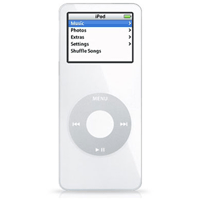
iPod nano 4GB, WhiteImpossibly small! Take everything you love about iPod and shrink it. Now shrink it again. With 4GB (1,000 songs) models, the pencil-thin iPod nano packs the entire iPod experience into an impossibly small design. So small, it will take your music places you never dreamed of.
Features:
* Believe Your Ears: Call it astonishing. Unbelievable. Impossible, even. Then pick it up and hold it in your hand. Take in the brilliant color display. Run your thumb around the Click Wheel. Put on the earbuds and turn up your music. That’s when everything becomes clear: It’s an iPod.
* It holds up to three days’ worth of music. It plays for up to 14 hours between battery charges. It displays the color album art for the song you’re listening to right now. It carries your photos, podcasts and audiobooks. It syncs seamlessly with iTunes. It connects to a host of iPod accessories. Simply put, iPod nano is 100-percent iPod. And then some.
* Touch and Go: iPod nano’s Click Wheel puts music under your thumb. Click to fast-forward, rewind, play, pause or access menus. Use the touch-sensitive surface to control volume or browse music. You can do it all without looking. But with an iPod this beautiful, who’d want to?
* Song Stylings: Add accessories to your iPod nano via the Dock connector and headphone jack and your music will always keep up with you — at home, on the go, even in your car. Of course, in either signature white or sleek black, iPod nano itself makes the ultimate accessory.
* Up to 4GB of skip-free storage on a featherweight iPod means you can wear almost three days’ worth of music around your neck. Or jog with 1,000 songs on your arm. Now that you can take your music everywhere, there’s no limit to where it will take you.
* Holds up to 1,000 songs and full-color album art
* Only 3.5 x 1.6 x 0.27 inches and 1.5 ounces
* Bright 1.5-inch color LCD display
* Up to 14 hours of battery life
* Apple Click Wheel
* Charges and syncs via USB
* Accessory-compatible Dock connector
* Completely skip-free playback
* Works with Mac OS X or Windows 2000/XP
* Plays music, podcasts and audiobooks
* Syncs contacts, calendars and to-do lists
Specifications:
Storage and song capacity: 4GB (1,000 songs)
Battery life: Up to 14 hours of music playback; up to 4 hours of slideshows with music
Display: 1.5-inch (diagonal) color LCD with LED backlight iPod Ports: Dock connector, stereo minijackConnectivity: USB through Dock connector
Charge time: About 3 hours (1.5-hour fast charge to 80% capacity)
Audio support: AAC (16 to 320 Kbps), Protected AAC (from iTunes Music Store), MP3 (16 to 320 Kbps), MP3 VBR, Audible (formats 2, 3 and 4), Apple Lossless, WAV, AIFF
Photo support: Syncs iPod-viewable photos in JPEG, BMP, GIF, TIFF, PSD (Mac only) and PNG formats
Size (in inches): 3.5 x 1.6 x 0.27Weight: 1.5 ounces
Included software: iTunes for Mac and Windows
Included accessories: Earbud headphones, USB cable, Dock adapter

Thursday, September 08, 2005

From the President.


The Computers Society aims at fostering and encouraging the awareness and use of technology among students. Our principle is inclusiveness and participation: we are a society for everyone – for experts, as well those for whom the seas of the technological world are choppy and unfamiliar.
That is not to say we do not constantly debate our existence, or that we are a set of geeks who would rather email each other than talk. After many debates as to whether or not we should change our name, we decided not to re-christen ourselves. St Stephen’s is all about continuity and tradition, after all! We are not a departmental or subject society we are a society for Stephanians.
One of the recently launched initiatives of the society is a blog and an internet group ‘Cyber-Stephanians’, aimed at fostering exchange and interaction among members of the society without holding those boring meetings in the afternoon. This is a project that should develop and grow in the years to come.
Members of the society have also been working for and liaising with the Web Team to great effect: regularly developing and updating content for the College website. The Notice Board (strategically and fittingly located outside the library!) sees regular updates aimed at making technology more understandable and accessible. Apart from that the computer society plans to conduct workshops & seminars, screen movies, not to mention the first-ever gaming fiesta going to be held this year and much more………………
At the time of writing this, we are preparing for the launch of a new-look society, which will break all barriers to be the best this year and years to come. After all, that’s what technology is all about – breaking barriers.
Do keep checking this space for more.